> ## Documentation Index
> Fetch the complete documentation index at: https://docs.zayo.com/llms.txt
> Use this file to discover all available pages before exploring further.
# Cloud Router Network Pages
Once you have created a Cloud Router, you can add routing rules to it to build your own network between data centers, cloud service providers, and DIA connections.
1. In the DynamicLink portal, select **Network** from the bottom menu.
2. Select **Cloud Router**.
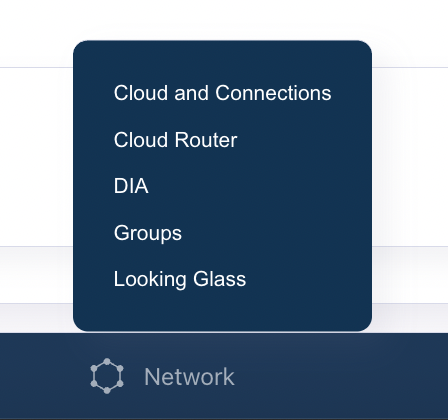 Under the **Cloud Router** tab, you can configure the following:
* [**Routes**](cloud-router-routes): Add static and dynamic routes to the Cloud Router.
* [**BGP**](cloud-router-bgp): Configure BGP peering with external networks.
* [**ARP**](/docs/cloud-router-arp): Configure ARP tables for static IP addresses.
* **MACs**: Configure MAC addresses for static IP addresses.
* **Policy-Based Routing (PBR)**: Configure policy-based routing to control traffic flow.
Under the **Cloud Router** tab, you can configure the following:
* [**Routes**](cloud-router-routes): Add static and dynamic routes to the Cloud Router.
* [**BGP**](cloud-router-bgp): Configure BGP peering with external networks.
* [**ARP**](/docs/cloud-router-arp): Configure ARP tables for static IP addresses.
* **MACs**: Configure MAC addresses for static IP addresses.
* **Policy-Based Routing (PBR)**: Configure policy-based routing to control traffic flow.