> ## Documentation Index
> Fetch the complete documentation index at: https://docs.zayo.com/llms.txt
> Use this file to discover all available pages before exploring further.
# Users
Users in the Administrator role can add other users to a tenant (your DynamicLink account).
### User roles
| Role | Description |
| ------------- | ------------------------------------------------------ |
| Administrator | Full permissions across DynamicLink |
| Editor | Full permissions, but cannot add or update other users |
| Viewer | Read-only access |
### Add a user
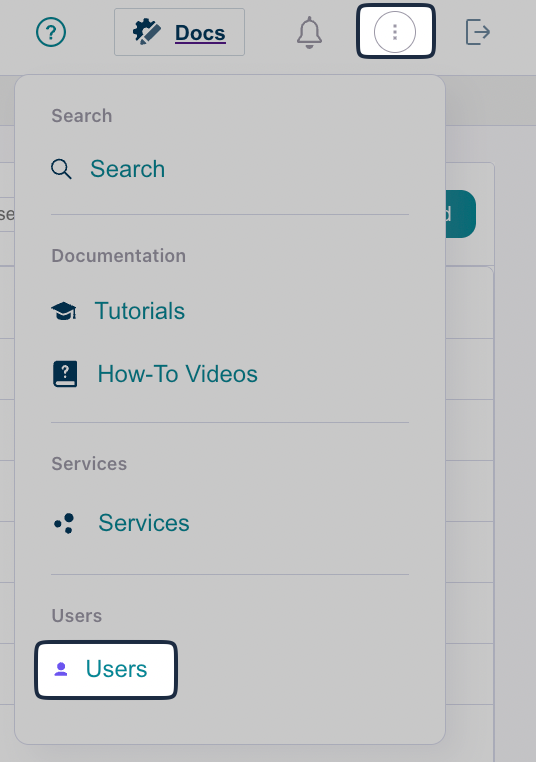
From DynamicLink, click the menu in the upper right and selecting **Users**.
 Click **Add** and then complete the following fields:
| Field | Description |
| ----------- | ----------------------------------------------------------------------------------------------------------------------------------------------------------------------------- |
| Username | Enter the username. Usernames cannot include capital letters. |
| Password | Enter a default password for the user.
Click **Add** and then complete the following fields:
| Field | Description |
| ----------- | ----------------------------------------------------------------------------------------------------------------------------------------------------------------------------- |
| Username | Enter the username. Usernames cannot include capital letters. |
| Password | Enter a default password for the user.
You must provide this password to the user. When they log in for the first time, they will be prompted to update their password. |
| Role | Select a user role. |
| Email | Enter an email address for the user. |
| First Name | Enter the user's full name. |
| Phone | Enter a phone number for the user (optional). |
| Description | Enter a description for the user (optional). |
When the user signs in, their username will be a combination of the username you entered above and your organization's tenant ID.
For example, if you enter `john` as the username and your tenant is `EXAMPLE_1`, John would sign in as `john@EXAMPLE-1`