

Before you begin
To create a DIA BGP connection, you need:- An active customer port in DynamicLink.
- An approved ASN in DynamicLink.
- Public IP prefixes registered to your ASN that you intend to advertise.
- Zayo BGP peer IP address (IPv4 and/or IPv6)
- Zayo remote ASN (
6461) - BGP authentication password
- Maximum prefix limit for the service
Create a DIA BGP connection
Navigate to Build Your Network > Virtual Circuit. Click Add Connection. “A” Port Select Customer Port and then complete the following fields:
“Z” Port
Select Internet and then complete the following fields:
Enter a connection name and then click Add.
The connection will appear in your virtual circuit list in a pending state. It will remain pending until your router is configured and the BGP session establishes between your network and Zayo’s.
Configuration details
You can find configuration details, such as the MD5 password, under Build Your Network > Public IPs. Click the information icon next to your BGP connection.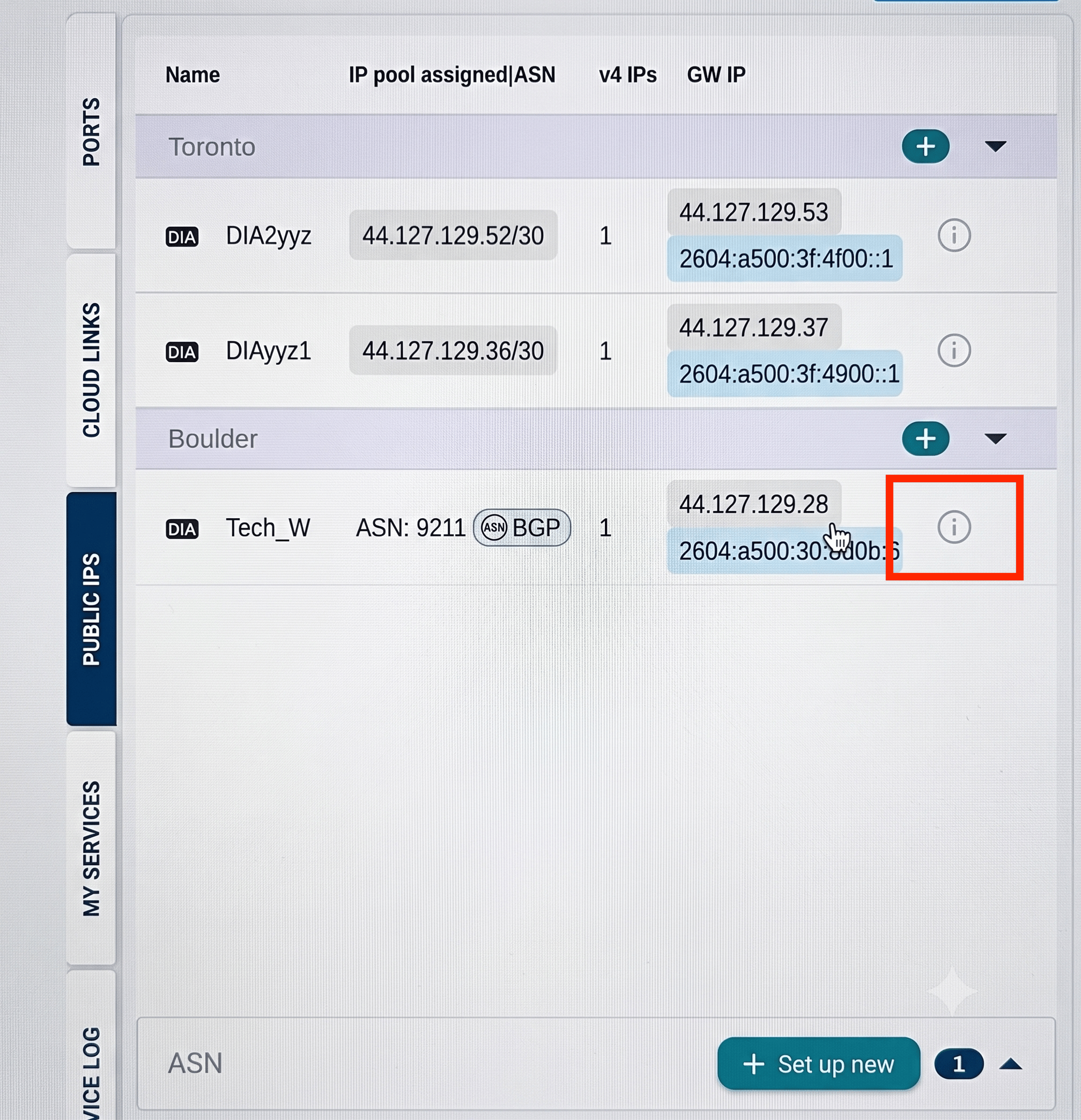
Configure your router
Because BGP configuration commands vary by router vendor (Cisco, Juniper, Nokia, Palo Alto, and others), the requirements below are vendor-neutral. Refer to your router’s documentation for the exact command syntax. Your router must be configured with:- An interface or subinterface for the DynamicLink handoff, with the same VLAN ID you selected in the portal (if tagged).
- The IPv4 and/or IPv6 address assigned to the customer side of the connection.
- A BGP process using your approved customer ASN.
- A BGP neighbor pointing to the Zayo peer IP address, with remote ASN set to
6461. - The BGP authentication password.
- IPv4 unicast address family activation if IPv4 is used, and IPv6 unicast address family activation if IPv6 is used.
- An outbound route filter that allows only the approved customer prefixes to be advertised.
Your router must be able to reach the Zayo BGP peer IP address over the service interface, and TCP port 179 must be allowed through any firewall or ACL in the path.